Scan documents to PDF without sending them to a cloud
Point your camera at a page and Vaultan finds it, straightens it and takes the shot. Scans are saved as PDFs inside your encrypted vault.
Our promises
- Free to download and use. The app has free-plan limits and an optional Pro upgrade.
- No account. We never ask for your email address, even if you upgrade to Pro, because Apple or Google handles the purchase.
- No email lists and no newsletters. The app has no ads, no analytics and no tracking; this website counts visits anonymously, with no cookies.
The only time we see your email address is if you choose to email [email protected].
What you get
It finds the page for you
Hold the phone steady over a page and Vaultan takes the picture by itself, finds the four corners and flattens the page into a clean rectangle.
A stack becomes one PDF
Turn to the next page and it does it again, so a whole stack is scanned in one go and saved as a single encrypted PDF.
Pages the right shape
A page shot at an angle normally comes out squashed. Vaultan works out the real proportions, so a letter stays letter-shaped and a receipt stays long and thin.
Three looks for the finished page
Auto evens out shadows and brightens the paper, B&W gives high-contrast print for text, and Original leaves the page exactly as shot.
The pages you scan are the ones you least want to leak
Passports, ID cards, bank letters, medical forms and contracts are what people actually scan. Many scanner apps keep the results in a cloud account that you have to create first.
Vaultan saves each scan in your vault, on your phone, with no account, so a copy of your passport is not sitting in someone else's storage.
Good to know
If a page does not stand out from what is behind it, such as white paper on a white desk, the scanner cannot find the corners and you drag them into place yourself. Vaultan does not read the text in a scan, so scanned PDFs cannot be searched.
Try it in your browser first
No scanner handy? You can turn photos of pages into one PDF right in your browser, with nothing uploaded.
Questions
Where are my scans saved?
Inside your encrypted vault on your phone, as one PDF per scan. If encrypted backup is on, an encrypted copy also goes to your own iCloud or Google Drive.
Can I keep each page as a separate photo?
Yes. You can save the pages of a scan as individual photos instead of one PDF.
Can I change a scan afterwards?
Yes. Open it in the vault to reorder, rotate or remove pages, redact something, or sign it.
More about this in the app
Document scanner
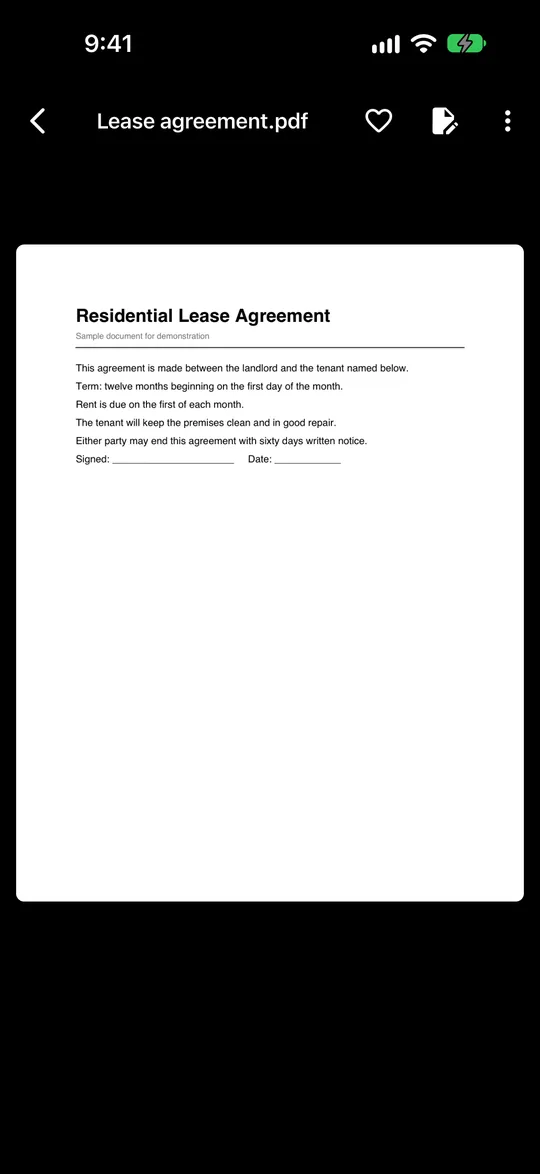
Scan pages to a PDF that is encrypted on your phone. It finds the page, straightens it and takes the shot for you.
PDF editor
Reorder, rotate, remove, add, join, redact and sign PDF pages, all inside your encrypted vault.
Redact a PDF
Hide names, numbers and addresses for good, with a black box or by erasing them into the page.
Turn paper into private PDFs
Scan on your phone, keep the result in an encrypted vault, and skip the cloud account that most scanner apps ask for.
Vaultan for other jobs
Private photo vault
Move private photos out of your camera roll into an encrypted vault.
Private video vault
Record or import videos into an encrypted vault, out of your gallery.
Offline password manager
Logins, cards and secure notes in an encrypted vault with no account.
2FA authenticator
Six-digit sign-in codes that work offline and can be backed up.
PDF tools: redact, sign, merge
Black out, sign, join and rearrange PDFs on your phone without uploading them.
Photo editor and face blur
Blur every face with one tap, soften backgrounds, crop and adjust on your phone.
Private journal
A diary only your pattern opens, with daily prompts, moods and streaks.
Decoy vaults and emergency erase
Give each vault its own pattern, and set a pattern that erases the others.
Encrypted backup and sync
Automatic encrypted backup to your own iCloud or Google Drive, and sync with Pro.