A diary that only you can open
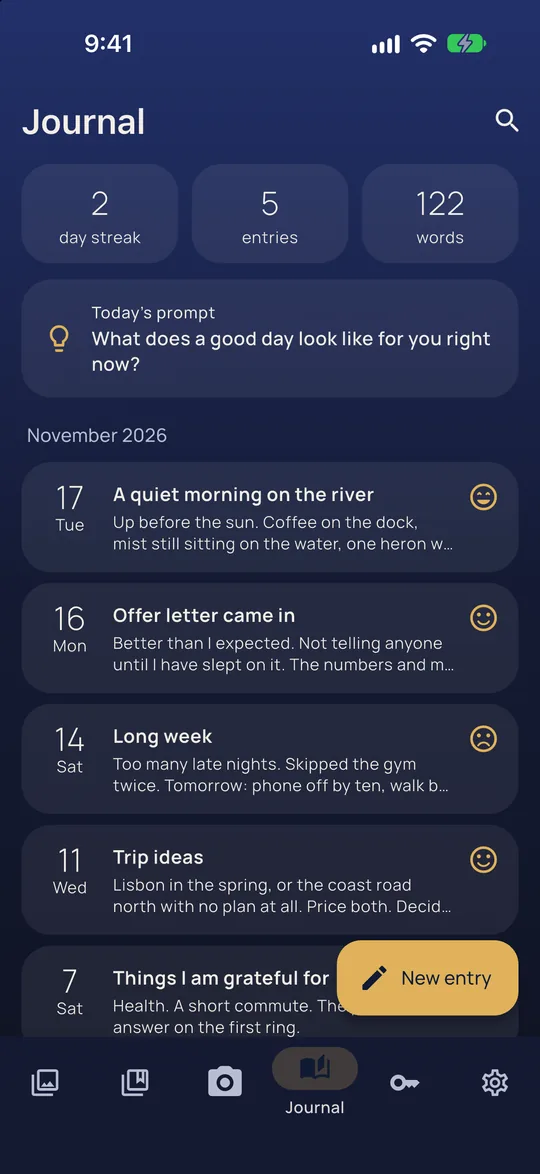
Write in a journal inside your encrypted vault. It opens with your pattern, offers a daily prompt if you want one, and nothing readable ever leaves your phone.
Our promises
- Free to download and use. The app has free-plan limits and an optional Pro upgrade.
- No account. We never ask for your email address, even if you upgrade to Pro, because Apple or Google handles the purchase.
- No email lists and no newsletters. The app has no ads, no analytics and no tracking; this website counts visits anonymously, with no cookies.
The only time we see your email address is if you choose to email [email protected].
What you get
A prompt each day, if you want one
A new writing prompt appears each day when you need a place to start, and you can ignore it when you do not.
Moods, titles, or just write
Add a mood and a title to an entry, or skip both and simply write.
A streak and a word count
The journal keeps your streak and counts your entries and words, so a habit has something to show for it.
Look back and search
See what you wrote on this day in past years, and search for any word in any entry.
Honest writing needs a real lock
You write differently when you are sure no one else will read it. A lock screen is not much comfort if the entries sit in a file that anyone with the phone can open.
Journal entries in Vaultan live in the same encrypted vault as your photos and files. They open only with your pattern, and the optional backup holds an encrypted copy that no one but you can read.
Good to know
With no account there is nobody to recover your journal for you. Encrypted cloud backup keeps a copy, and each vault has a recovery phrase for a forgotten pattern, so keep that phrase somewhere safe.
Questions
Can anyone read my entries without my pattern?
No. Entries are encrypted with a key made from your pattern, and the app never stores the pattern.
Do I need an account to keep a journal?
No. There is nothing to sign up for. The journal is part of your vault, on your phone.
What happens if I switch phones?
Restore from your encrypted cloud backup or a backup file, and your journal entries come back with the rest of the vault.
More about this in the app
Private journal
A diary only your pattern can open, with prompts, moods and streaks.
Pattern lock
Draw your pattern to open your vault. No account, no password to forget.
Backup files
One encrypted file holding a whole vault. Keep it anywhere, or use it to move between iPhone and Android.
Start a diary that is yours alone
A private journal behind a pattern, on your phone, with an encrypted backup and no account.
Vaultan for other jobs
Private photo vault
Move private photos out of your camera roll into an encrypted vault.
Private video vault
Record or import videos into an encrypted vault, out of your gallery.
Offline password manager
Logins, cards and secure notes in an encrypted vault with no account.
2FA authenticator
Six-digit sign-in codes that work offline and can be backed up.
Private document scanner
Scan pages to PDF, straightened and saved in an encrypted vault.
PDF tools: redact, sign, merge
Black out, sign, join and rearrange PDFs on your phone without uploading them.
Photo editor and face blur
Blur every face with one tap, soften backgrounds, crop and adjust on your phone.
Decoy vaults and emergency erase
Give each vault its own pattern, and set a pattern that erases the others.
Encrypted backup and sync
Automatic encrypted backup to your own iCloud or Google Drive, and sync with Pro.