Blur every face in a photo with one tap
Vaultan's photo editor finds faces on your phone and blurs them, then saves the result as a new copy in your vault. The photo is never uploaded to be analyzed.
Our promises
- Free to download and use. The app has free-plan limits and an optional Pro upgrade.
- No account. We never ask for your email address, even if you upgrade to Pro, because Apple or Google handles the purchase.
- No email lists and no newsletters. The app has no ads, no analytics and no tracking; this website counts visits anonymously, with no cookies.
The only time we see your email address is if you choose to email [email protected].
What you get
One tap for every face
Tap Faces and every face the app finds is blurred with a soft edge that blends into the picture.
Paint blur over anything
Use the brush for the faces it misses, and for number plates, house numbers, screens and documents in the background.
Soften the background
Keep the person sharp and soften everything behind them, like a portrait photo, on any photo already in your vault.
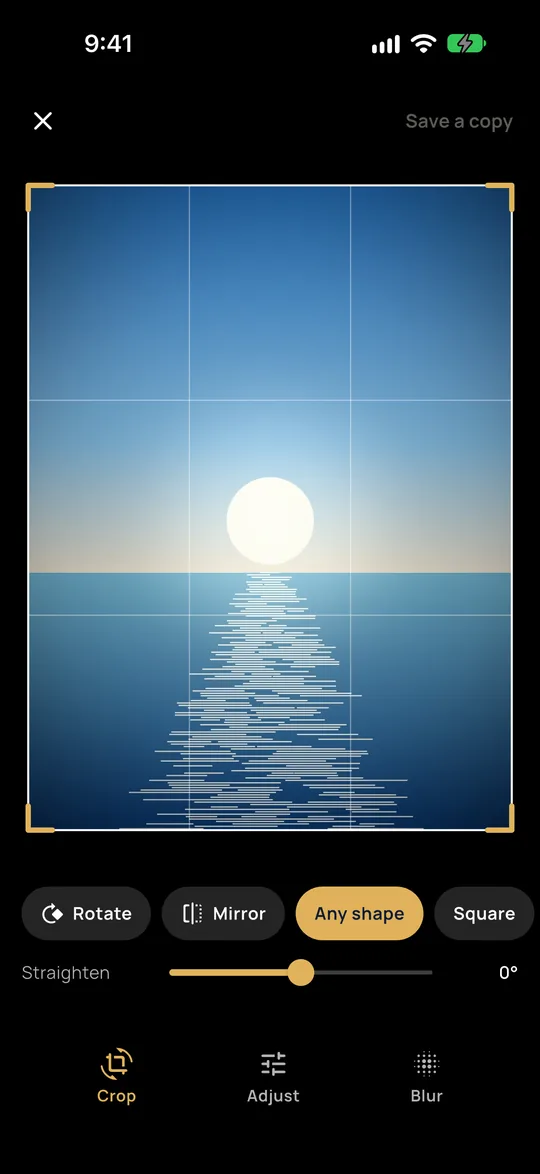
Crop, straighten and adjust
Crop to a shape, rotate, straighten a tilted horizon, and adjust brightness, contrast, color and warmth. Saving always adds a new copy.
Blurring a face should not mean uploading it
A photo of a crowd, a classroom or your own children can put people in public who never agreed to it. Many online blur tools ask you to upload the photo first, which defeats the point.
Face detection in Vaultan runs on a small model built into the app, so the picture stays on your phone from start to finish.
Good to know
The face finder can miss small faces far from the camera or faces turned sideways, so look over the result and paint over anything it missed. The blur is built from a very small copy of the picture, so it cannot be sharpened back into a face. Removing location and camera details from photos is part of Vaultan Pro.
Try it in your browser first
Two browser tools cover the basics right now: blur parts of a photo by hand, or see what a photo gives away and remove the hidden details. Neither uploads your picture.
Questions
Is my photo uploaded to find the faces?
No. Face detection and background detection run on your phone.
Does editing change my original photo?
No. Saving adds the edited photo as a new copy and leaves the original unchanged.
Can I blur a photo without the app?
Yes. The browser tool on this site lets you cover areas with a box or a brush, with no upload. In the app, one tap finds the faces for you.
More about this in the app
Private photo editor
Crop, straighten, adjust and blur photos inside your vault. The original is never changed.
Blur faces in photos
One tap finds every face and blurs it, on your phone. Nothing is uploaded.
Blur a photo background
Keep the person sharp and soften everything behind them, like a portrait photo.
Remove photo location and metadata
Strip GPS location and camera details from your photos, in the vault and whenever you export.
Share photos without sharing everyone's face
Blur faces and backgrounds on your phone, inside an encrypted vault, with no account and no upload.
Vaultan for other jobs
Private photo vault
Move private photos out of your camera roll into an encrypted vault.
Private video vault
Record or import videos into an encrypted vault, out of your gallery.
Offline password manager
Logins, cards and secure notes in an encrypted vault with no account.
2FA authenticator
Six-digit sign-in codes that work offline and can be backed up.
Private document scanner
Scan pages to PDF, straightened and saved in an encrypted vault.
PDF tools: redact, sign, merge
Black out, sign, join and rearrange PDFs on your phone without uploading them.
Private journal
A diary only your pattern opens, with daily prompts, moods and streaks.
Decoy vaults and emergency erase
Give each vault its own pattern, and set a pattern that erases the others.
Encrypted backup and sync
Automatic encrypted backup to your own iCloud or Google Drive, and sync with Pro.